User Guide
Recommended
CoS
Channel Talk's AI assistant that analyzes your business data and surfaces insights—helping with everything from strategy planning to report generation.Notebook
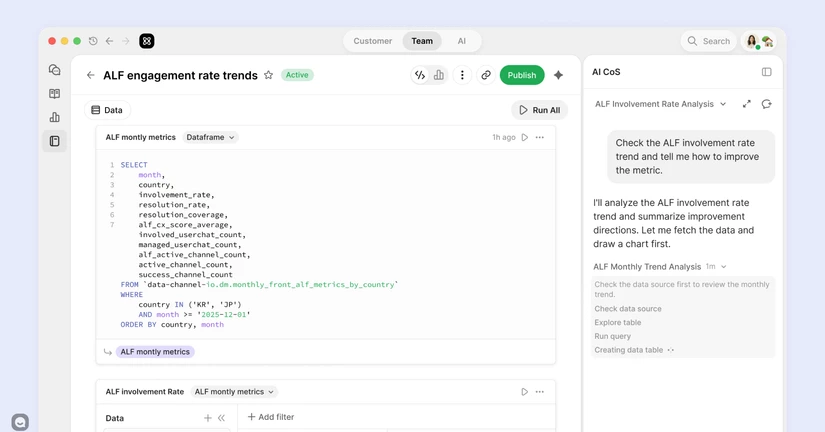
A tool for freely analyzing your Channel Talk data and external data, turning it into charts, and sharing them. Just ask the AI in your own everyday words, and you can build it easily—no code required.Custom Report
ALF customer
Categories










Getting started
We’ll guide you through how to create loyal customers and all the setup steps you need when starting with Channel Talk.Plug-in Installation
Channel Talk can be easily and quickly installed on any website by adding a script to the site. This includes custom websites and websites created using web builders.Making the Most of Channel Talk
Here’s how to use Channel Talk to turn new visitors into loyal customers. Simple tips to help you get the most out of it!Understanding Channel Talk’s Pricing
Subscription Terms and Related Features Channel Talk's subscriptions include paid plans: Early Stage, Growth, and Enterprise. Each is tailored to your business size, alongside usage-based add-ons. Each plan provides a specific number of Managed Users (MU) and seats, with options to purchase additional usage. Add-ons are billed based on usage, with no upfront subscription costs. MU - MU (Managed Users) represents the total number of customer profiles stored in Contacts. (→ See more in the user guSettings
Learn how to set up Channel Talk, from channel profile to security settings.16 articlesPreference Settings
3 articlesLive Chat
Effective communication with customers is key to growing your business. Discover how to connect with them using Channel Talk6 articlesCRM
A successful CRM strategy begins with understanding your customers. Easily locate and manage your regular customers using the Contacts feature on Channel Talk.7 articlesAI
Introducing AI features that help you reduce repetitive inquiries and focus on what is truly important to your team.17 articlesMarketing
Initiate communication with your customers through the powerful and user-friendly marketing feature of Channel Talk.4 articlesMeet
Meet is Channel Talk's new internet telephone feature. Channel Talk currently provides Audio and Video Meet, where customers can call without using their phone number.3 articlesTeam Chat
Simplify customer service and internal collaboration by using Channel Talk's Team Chat for both customer interactions and team communication.3 articlesDocuments
This feature helps you manage your documentation, such as how-to guides, blogs, release notes, and more, within Channel Talk and publish them on your website. Our AI agent, ALF, learns what's in your documentation and uses it to help you interact with your customers.9 articlesAnalytics
The Operation add-on streamlines processes by automating repetitive tasks and offers valuable insights for business growth through chat analysis.6 articlesNotebook
A tool for freely analyzing your Channel Talk data and external data, turning it into charts, and sharing them. Just ask the AI in your own everyday words, and you can build it easily—no code required.Drive
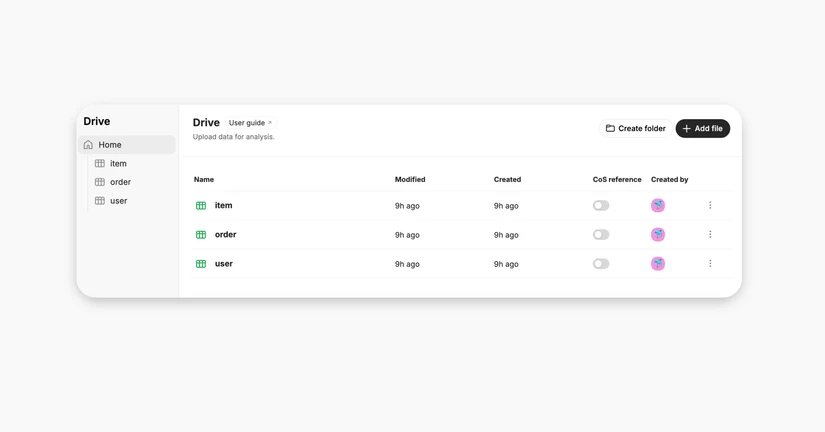
Manage your CSV, TSV, and XLSX files in one place and share them with your team. Use your uploaded data in both CoS and Notebook to work more efficiently.CoS
Channel Talk's AI assistant that analyzes your business data and surfaces insights—helping with everything from strategy planning to report generation.Integrations
Streamline customer interactions across multiple platforms by integrating external services with Channel Talk.12 articlesApp Store
3 articlesBilling & Subscription
Explore the pricing options and subscription methods available on Channel Talk, and select a plan that suits the needs of your business.7 articles